NVIDIA Canvas
Transform simple sketches into realistic images with A
Tags:Ai visual generationAI-powered tools creative professionals NVIDIA Studio Performance RTX GPUs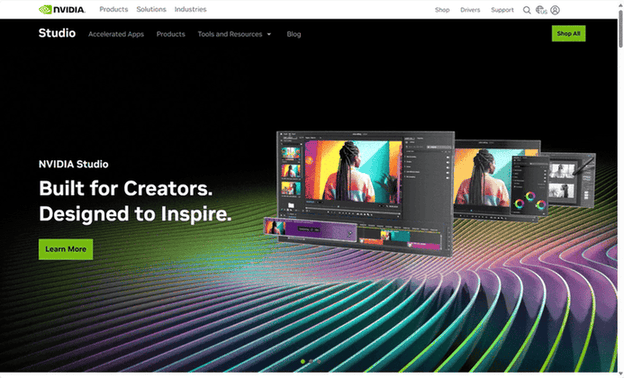
NVIDIA Studio: Empowering Creativity in a Rapidly Evolving Digital Landscape
The creative industry stands at the cusp of a significant transformation, propelled by relentless technological progress and an ever-growing demand for sophisticated content across a multitude of platforms. Professionals in creative fields, spanning video editing and graphic design to the intricate worlds of 3D art and the dynamic realm of broadcasting, are constantly challenged to produce groundbreaking work with both efficiency and impact. This environment underscores a critical need for advanced, specialized tools capable of meeting these escalating demands. The increasing complexity inherent in modern creative projects, characterized by higher resolutions, intricate visual effects, and the imperative for real-time collaborative workflows, necessitates hardware and software solutions that can seamlessly handle these intensive tasks without impeding the creative flow [Insight 1]. Furthermore, the burgeoning trend of remote work and collaborative projects across geographical boundaries highlights the paramount importance of platforms that facilitate smooth teamwork and the efficient sharing of resources among creative professionals [Insight 2].
NVIDIA Studio has emerged as a purpose-built platform meticulously engineered to empower creators across a diverse range of disciplines. More than just a collection of hardware components, NVIDIA Studio represents a comprehensive ecosystem. This ecosystem encompasses high-performance laptops and desktops, specifically designed software, and exclusive tools, all meticulously optimized for the intricate demands of creative workflows. The fundamental mission of NVIDIA Studio is to deliver transformative levels of performance and unwavering reliability, thereby enabling creators to translate their artistic visions into reality with unprecedented speed and efficiency. The platform combines RTX GPUs with the NVIDIA Studio Stack, which includes specialized SDKs and dedicated Studio Drivers, all rigorously tested to ensure optimal performance and stability with leading creative applications. This integrated approach, focusing on both robust hardware and finely-tuned software, signifies a holistic strategy aimed at optimizing the entire creative experience, rather than addressing individual components in isolation [Insight 3].
NVIDIA Studio is designed to benefit a wide spectrum of creative professionals who depend on high-performance computing to execute their work. This includes both individual artists and collaborative teams operating across various creative sectors. Video editors and motion graphics artists, who routinely handle high-resolution footage like 4K, 8K, and even 12K, and who grapple with complex visual effects and demanding rendering processes, find significant value in the platform. The ability to accelerate AI-driven effects and drastically reduce video export times, sometimes utilizing multiple dedicated encoders, directly addresses the time-sensitive nature of their work. Testimonials from media production companies highlight the tangible benefits, noting faster rendering times and enhanced performance when editing high-end footage on NVIDIA Studio laptops. Similarly, 3D animators and designers involved in the intricate processes of modeling, texturing, lighting, and rendering complex 3D scenes and characters experience substantial improvements in their workflows. NVIDIA Studio accelerates these demanding tasks, offering significantly faster rendering times in software like Blender Cycles, with performance gains reaching up to 2.3 times. The platform also facilitates faster previews of their work through AI-powered denoising and NVIDIA DLSS technology.
Photographers and graphic designers, who work with high-resolution images and intricate manipulations within demanding creative software suites like Adobe Creative Cloud, also benefit immensely from NVIDIA Studio. The platform provides lightning-fast performance and powerful AI tools accelerated by GeForce RTX GPUs, enabling quicker image touch-ups and enhancements. Specific features like Super Resolution, Raw Details, and Neural Filters in Adobe Photoshop and Lightroom are significantly accelerated by RTX GPUs, streamlining common tasks and allowing for smoother, more efficient workflows. Architectural visualization professionals, tasked with creating realistic renderings and immersive walkthroughs of architectural designs, also fall within the target audience for NVIDIA Studio. The platform’s capabilities in handling complex 3D environments and delivering high-fidelity visuals make it well-suited for their demanding projects. Broadcasters and livestreamers, who require reliable and high-quality audio and video for their live content creation, also find NVIDIA Studio to be a valuable asset. The exclusive NVIDIA Broadcast tool, an integral part of the platform, utilizes AI to significantly enhance webcams, microphones, and speakers, providing a professional home studio experience. Features like noise removal, virtual backgrounds, studio voice, and virtual key light, all powered by AI, address the critical need for clear and engaging live broadcasts. The diverse range of creative fields that NVIDIA Studio supports indicates a platform designed with a comprehensive understanding of the various performance bottlenecks and feature requirements inherent in visual content creation [Insight 4].
The NVIDIA Studio platform is built upon several key pillars, each contributing to an enhanced creative experience. At its foundation lies high-performance hardware, encompassing both laptops and desktops meticulously engineered for creative endeavors. These systems are equipped with powerful CPUs, substantial memory, high-speed solid-state drives, and, crucially, NVIDIA RTX GPUs. RTX Studio laptops, featuring both Quadro RTX and GeForce RTX GPUs, offer creators desktop-class performance while maintaining portability. The NVIDIA Studio range includes different tiers – Creative Dabbler, Creative Maestro, and Creative Powerhouse – each catering to varying levels of creative needs and performance requirements. These tiers offer increasing levels of performance and features, accommodating a wide spectrum of creative professionals from those starting out to seasoned experts working on the most demanding projects. The existence of these different tiers demonstrates a strategic approach to making the Studio platform accessible to a broad audience with diverse performance needs and budgets [Insight 5].
A central element of NVIDIA Studio is the integration of NVIDIA RTX GPUs, which incorporate dedicated hardware for ray tracing, AI processing through Tensor Cores, and enhanced video encoding via NVENC. These advanced technologies work in concert to significantly accelerate demanding creative workflows. This results in dramatically reduced rendering times, smoother and more responsive editing experiences, and the enablement of sophisticated AI-powered features. RTX GPUs accelerate content creation across various applications, leading to performance gains of up to 7 times compared to other platforms in specific tasks like 3D rendering and video editing. The continuous advancements in RTX technology, such as the fifth-generation Tensor Cores in the latest GPUs, further enhance AI performance and improve efficiency in generative AI models. The recurring emphasis on AI-powered tools and features within NVIDIA Studio reflects a growing trend in the creative industry, where artificial intelligence is increasingly being utilized to automate repetitive tasks, enhance the quality of creative outputs, and streamline overall workflows [Insight 6].
Ensuring a stable and reliable creative workflow is paramount for professionals, and NVIDIA addresses this through its dedicated Studio Drivers. Unlike Game Ready Drivers, which are optimized for gaming performance, Studio Drivers undergo rigorous testing specifically with leading creative applications to ensure optimal stability and performance. This focus on reliability means that creative professionals can work without the worry of unexpected crashes or performance issues that can disrupt their workflow. The development and extensive testing of Studio Drivers against a wide range of creative applications and their various revisions underscore NVIDIA’s commitment to meeting the specific needs of creative professionals. This dedication to providing tailored drivers recognizes that stability and reliability are crucial in professional production environments [Insight 7].
The NVIDIA Studio platform harnesses the parallel processing power of NVIDIA GPUs to accelerate a wide array of creative tasks across numerous applications. This GPU acceleration leads to significant time savings in tasks such as 3D rendering, video editing, and applying complex effects in photography and graphic design. For instance, GPU-accelerated encoding in Adobe Premiere Pro can dramatically reduce video export times, making workflows far more efficient. Similarly, features like AI-powered upscaling in Adobe Photoshop benefit from the processing power of NVIDIA GPUs, resulting in faster and smoother image manipulation. The consistent emphasis on faster performance across various creative tasks underscores a core benefit of the NVIDIA Studio platform: empowering creators to minimize wait times and maximize their creative output [Insight 8].
NVIDIA Studio also provides access to exclusive creative tools designed to further enhance productivity and facilitate collaboration. NVIDIA Omniverse stands out as a powerful platform for real-time virtual creative collaboration and the creation of physically accurate simulations. Omniverse enables multiple users working with different applications to collaborate live on virtual worlds, fostering rapid iteration and allowing artists to utilize their preferred tools seamlessly. Features like OmniLive ensure real-time synchronization of changes across connected applications, while robust version control and asset management tools like Nucleus Navigator streamline collaborative workflows. NVIDIA Broadcast is another exclusive tool that leverages AI to transform any space into a home studio by enhancing the quality of webcams, microphones, and speakers. Its AI-powered features, including noise removal, virtual backgrounds, studio voice, and virtual key light, significantly improve the quality of online communication and content creation. NVIDIA Omniverse extends the capabilities of the Studio platform beyond individual workflows, offering sophisticated tools for team collaboration and the creation of complex, physically accurate virtual environments [Insight 9]. Similarly, NVIDIA Broadcast addresses the growing need for high-quality audio and video in online interactions, utilizing AI to provide studio-like capabilities without the need for specialized hardware or dedicated spaces [Insight 10].
NVIDIA Studio is engineered for seamless integration with a vast array of leading creative applications across various disciplines. The platform provides specific performance enhancements and optimizations for popular software such as Adobe Premiere Pro, Adobe Photoshop, Blender, Autodesk Maya, and DaVinci Resolve. This deep level of integration ensures that creative professionals can leverage the full potential of their NVIDIA hardware within the software they use daily, resulting in a smoother and more efficient workflow. The fact that Studio Drivers undergo extensive testing with multiple versions of these top creative applications further reinforces the commitment to optimal performance and compatibility. This focus on optimizing for industry-standard creative software makes NVIDIA Studio a highly compelling choice for professionals who rely on these tools, as it maximizes the immediate benefits and minimizes any potential learning curves [Insight 11].
Beyond the technical aspects, NVIDIA Studio aims to cultivate a supportive ecosystem for creators by offering valuable resources, inspiration, and opportunities for engagement. This includes access to tutorials, artist showcases, contests, and exclusive offers. The platform also provides essential tools and resources, such as NVIDIA Studio Drivers and comprehensive information on accelerated applications, all designed to help creators maximize their creative potential. This commitment to building a community and providing ongoing support recognizes the importance of learning resources and opportunities for creators to connect and grow within the NVIDIA Studio environment [Insight 12]. Furthermore, NVIDIA Studio is integrated into RTX AI PCs, bringing the power of advanced AI technology to enhance various computing tasks, including creative work, productivity, and software development. This integration points towards a future where AI will play an increasingly significant role in creative workflows, further streamlining processes and unlocking entirely new possibilities [Insight 13].
The NVIDIA Studio platform offers several key advantages that streamline creative workflows for professionals. The combination of RTX GPUs and GPU acceleration leads to significant increases in performance and efficiency, resulting in faster rendering times, smoother editing, and quicker processing of demanding tasks, ultimately saving valuable time. The stability and reliability provided by Studio Drivers ensure optimal performance and prevent workflow interruptions, which is crucial for maintaining productivity in professional settings. Creators also gain access to exclusive AI-powered tools like NVIDIA Omniverse, which facilitates real-time collaboration and physically accurate simulations, and NVIDIA Broadcast, which enhances audio and video quality for online communication and content creation. The seamless integration and deep optimization with industry-standard creative software ensure a smooth and efficient workflow within familiar environments, minimizing the learning curve and maximizing immediate benefits. The supportive ecosystem surrounding NVIDIA Studio, with its community resources, tutorials, and dedicated support, further empowers creators to maximize their potential. Finally, the integration with RTX AI PCs positions creators to leverage the latest advancements in artificial intelligence, future-proofing their workflows and opening up new creative possibilities.
Conclusion
NVIDIA Studio represents a significant advancement in providing creative professionals with the technological capabilities necessary to excel in an increasingly competitive and rapidly evolving industry. By seamlessly integrating high-performance hardware, meticulously optimized software, and innovative AI-powered tools, NVIDIA Studio offers a comprehensive platform that effectively streamlines creative workflows, significantly enhances productivity, and unlocks new frontiers for artistic expression. As the landscape of digital content creation continues its dynamic evolution, NVIDIA Studio is strategically positioned to remain an indispensable tool for those who aspire to push the boundaries of what is creatively possible.
Table 1: Comparison of NVIDIA Studio System Tiers
| Tier | Target Audience | Key Features |
|---|---|---|
| Creative Dabbler | Creators wanting the best experience in graphic design and photography, looking to explore video editing. | Faster work with AI-accelerated features, real-time video editing in up to 4K HDR RAW, thin and portable designs, optimized for Adobe Creative Cloud, capable of 1080p gaming and broadcasting. |
| Creative Maestro | Advanced creators needing next-level performance for video editing and 3D design. | Faster work with advanced AI-accelerated features, real-time video editing in up to 6K HDR RAW (and 4:2:2 6K HDR RAW), animation of large 3D models with ray tracing, optimized for Adobe Creative Cloud, capable of up to 1440p gaming and broadcasting. |
| Creative Powerhouse | Creators with the most demanding creative needs, utilizing state-of-the-art NVIDIA GeForce RTX and NVIDIA RTX GPUs. | Faster work with multiple advanced AI-accelerated features, real-time video editing in up to 4:2:2 12K HDR RAW, faster video exporting with two or more NVIDIA Encoders, animation of massive 3D models with large memory and accelerated ray tracing, optimized for Adobe Creative Cloud, capable of up to 4K gaming and broadcasting. |
Table 2: Key Features and Benefits of NVIDIA Broadcast
| Feature | Description | Key Benefit |
|---|---|---|
| Noise Removal | Uses AI to eliminate unwanted background noises like keyboard typing, fan noise, and reverb. | Enables clear and professional audio for livestreams, chats, and conferences, regardless of the environment. |
| Room Echo Removal | Utilizes AI to eliminate bothersome echo in a room. | Improves audio clarity in spaces with echo. |
| Studio Voice (beta) | AI-powered feature that upgrades microphone quality to a premium level. | Transforms any microphone into a professional-grade audio device. |
| Virtual Background | Allows users to customize their background with removal, replacement, or blur effects using AI. | Provides creative control over the visual presentation without needing physical greenscreens or complex setups. |
| Virtual Key Light (beta) | Automatically relights the user’s face, reducing shadows and ensuring even lighting. | Helps users stay camera-ready with consistent and flattering lighting, even in suboptimal conditions. |
| Eye Contact | AI-powered feature that makes it appear as if the user is looking directly at the camera. | Enhances engagement and creates a more natural and direct connection with the audience. |
| Video Noise Removal | Enhances webcam quality by removing visual noise in low-light situations. | Results in a cleaner and clearer video image, especially in challenging lighting. |
| Auto Frame | Dynamically tracks the user’s movements, automatically cropping and zooming to keep them centered. | Ensures the user remains the focus of attention, even when moving around during a broadcast or call. |
data statistics
Relevant Navigation