Clipchamp
Convert text to video narration and export videos in minutes
Tags:Ai visual generationaccessibility AI features Clipchamp free video editor video editing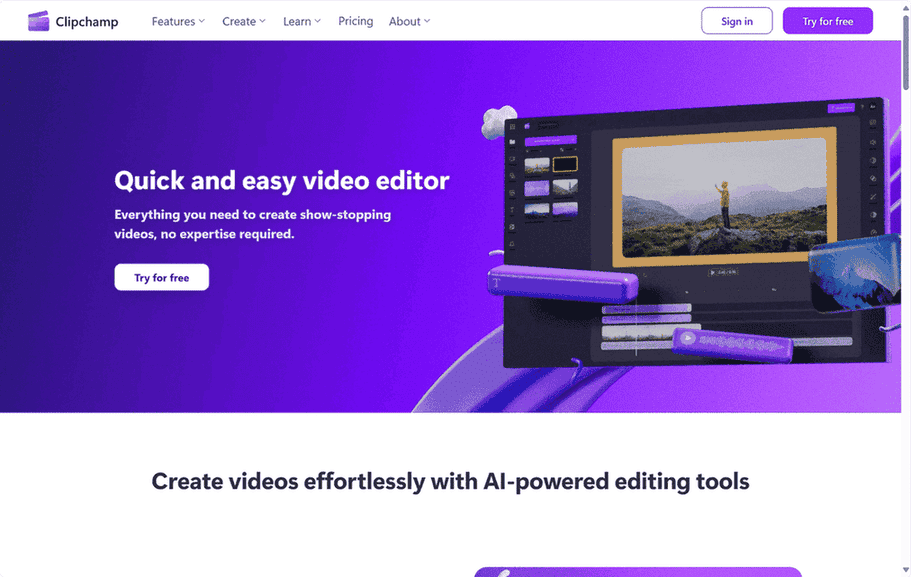
In today’s visually driven world, the ability to create compelling video content is no longer a niche skill. Whether it’s for sharing life’s moments with friends and family, crafting engaging presentations for work, or developing educational materials, video has become a ubiquitous form of communication. However, the realm of video editing software often feels intimidating to newcomers, conjuring images of complex interfaces and requiring hours of dedicated learning. Enter Clipchamp, a refreshing online video editor that aims to democratize video creation, offering a suite of powerful tools wrapped in an intuitive, user-friendly package accessible to everyone, regardless of their technical prowess. Its availability as a browser-based application, a desktop app for Windows users, and a mobile app for iOS devices further underscores its commitment to convenience and accessibility. The increasing importance of user-generated content across various platforms has created a significant demand for tools that empower individuals to easily produce high-quality videos, positioning platforms like Clipchamp at the forefront of this creative revolution.
Effortless Editing: Diving into Clipchamp’s Key Features
Clipchamp stands out by integrating artificial intelligence to simplify traditionally complex editing tasks, making video creation more accessible than ever before.
AI to the Rescue: Smart Tools for Seamless Creation
The incorporation of AI-powered features allows users to achieve professional-looking results without needing extensive technical knowledge.
One such feature is Autocaptions, which automatically generates accurate subtitles for videos in over 80 languages. This functionality leverages speech-to-text technology to transcribe the audio content within minutes, significantly enhancing the accessibility of videos for a wider audience, including those who are deaf or hard of hearing, as well as viewers in noisy environments. This automatic captioning capability directly improves video accessibility, leading to broader reach and engagement. Videos with captions are more inclusive and can capture the attention of viewers who might otherwise miss the audio, thereby increasing the potential impact of the content.
Another remarkable AI-powered tool is Text to Speech. With a simple click, users can convert written text into natural-sounding speech, offering a high degree of customization over language, voice, pitch, style, and pace. This feature opens up exciting possibilities for creating voiceovers without the need for recording one’s own voice. This can be particularly beneficial for users who might feel uncomfortable speaking on camera or who require voiceovers in languages they don’t speak. Furthermore, it can contribute to maintaining a consistent brand voice across video content.
For those creating podcasts or demo videos, the Auto Cut feature proves invaluable. This intelligent tool automatically detects and removes silences and filler words from webcam and voice recordings, streamlining the editing process and resulting in more engaging and concise content. The auto-cut feature directly addresses a common challenge in video editing – the time-consuming task of manually identifying and removing unwanted pauses and verbal clutter. By automating this process, Clipchamp significantly speeds up the workflow, allowing creators to focus on the core message of their video.
Audio clarity is paramount in effective video communication, and Clipchamp’s Noise Suppression feature addresses this by intelligently removing unwanted background noises such as street sounds, wind, and general ambient noise. Clear audio significantly improves the viewing experience, ensuring that the intended message is easily understood and that the video maintains a professional quality. Poor audio can detract from even the most visually appealing content, making noise suppression a crucial tool for enhancing overall video impact.
Finally, the Resize Video tool simplifies the process of adapting videos for various platforms. Users can effortlessly change the aspect ratio to suit different social media formats, with options to add background colors or blur effects to fill blank spaces or crop the footage to fit the screen perfectly. Easy video resizing allows creators to optimize their content for platforms like Instagram, TikTok, YouTube, and Facebook, each of which has its own preferred aspect ratios. This flexibility ensures that videos look their best on every platform, maximizing their potential reach and engagement across multiple channels.
A Treasure Trove of Resources: Royalty-Free Elements at Your Fingertips
Beyond its intelligent tools, Clipchamp provides users with access to a vast library of royalty-free stock footage, music, and sound effects. This extensive collection eliminates the need for users to source and potentially pay for external media assets, streamlining the creative process and offering a wealth of options to enhance their videos. In addition to these media elements, Clipchamp also offers a variety of text options, overlays, filters, and pre-designed video templates , providing further creative flexibility and simplifying the process of adding visual appeal and professional polish to video projects.
The Essentials Done Right: Core Video Editing Tools
While AI-powered features offer significant convenience, Clipchamp also provides a robust set of fundamental video editing functionalities. Users can easily trim video length, crop unwanted portions, resize videos (offering manual control alongside the AI-powered resizing), and enhance the overall quality of their footage. These core tools ensure that users have complete control over the basic elements of their video projects, allowing for precise adjustments and refinements.
Unleash Your Creativity: Advanced Features for Engaging Content
For users looking to create more dynamic and visually engaging videos, Clipchamp offers a range of advanced features. These include a green screen tool for creating immersive visual effects, video overlay capabilities for layering multiple video clips, a GIF maker for creating short animations, and a library of stickers and emojis to add personality. Additionally, features like audio visualizer, background removal, and a wide selection of video templates and stock content further empower users to bring their creative visions to life. The inclusion of these more advanced features indicates that Clipchamp is designed to cater to a wide spectrum of video creation needs, from simple edits to more complex projects requiring visual flair.
Table 1: Clipchamp Feature Comparison
| Feature Name | Description | Key Benefit(s) |
|---|---|---|
| Autocaptions | Automatically generates accurate captions for videos in over 80 languages using speech-to-text. | Improves accessibility, enhances audience engagement, caters to diverse viewers. |
| Text to Speech | Converts text into natural-sounding speech with customizable language, voice, pitch, style, and pace. | Enables voiceovers without recording, offers privacy, allows for consistent branding. |
| Auto Cut | Automatically detects and removes silences and filler words from webcam and voice recordings. | Saves time, streamlines editing, creates more engaging content for podcasts and demo videos. |
| Noise Suppression | Removes unwanted background noises from audio, such as street sounds and wind. | Improves audio clarity, enhances the viewing experience, ensures clear communication. |
| Resize Video | Easily changes video aspect ratios for different platforms with options for background colors and blur effects. | Optimizes content for various social media platforms, increases reach and engagement. |
| Royalty-Free Elements | Access to a library of stock footage, music, sound effects, text options, overlays, filters, and video templates. | Eliminates the need for external resources, streamlines the creative process, offers a wide range of creative options. |
| Basic Editing Tools | Includes video trimming, cropping, resizing, and enhancing functionalities. | Provides fundamental control over video elements, allows for precise adjustments and refinements. |
| Creative Features | Offers green screen, video overlay, GIF maker, stickers, emojis, audio visualizer, background removal, and video templates. | Enables the creation of more dynamic and visually engaging content, caters to a wide range of creative needs. |
Who is Clipchamp For? From Aspiring Creators to Busy Professionals
Clipchamp’s versatility makes it a valuable tool for a diverse range of users, from individuals pursuing their creative passions to businesses and educators looking to enhance their communication.
For the Budding YouTube Star (and Beyond)
Clipchamp is an ideal platform for content creators aiming to make their mark on platforms like YouTube, TikTok, and Instagram. Whether they are just starting out or are seasoned vloggers, Clipchamp provides an accessible way to produce high-quality videos without requiring extensive technical expertise. Features like autocaptions ensure their content reaches a wider audience, while the vast content library offers a wealth of resources to make their videos visually appealing. The ease of use and availability of features like autocaptions and a content library directly support creators in producing high-quality, accessible content that can thrive on social media platforms. Success on these platforms often hinges on consistent, engaging content that is easy to understand, and Clipchamp provides the necessary tools to achieve this efficiently.
Empowering Businesses to Communicate Visually
Businesses can also leverage Clipchamp to create professional-looking videos for various purposes, such as promotional videos, product demonstrations, and social media advertisements. The platform offers features like brand kits, which help maintain brand consistency across videos, and a variety of video templates to expedite the creation process. The ability to easily resize videos for different platforms ensures that marketing materials are optimized for maximum impact. Furthermore, the noise suppression feature is particularly useful for ensuring clear and impactful business communications, even when recording on the go. The availability of brand kits and video templates demonstrates an understanding of the needs of businesses to maintain a consistent visual identity and create professional-looking marketing materials quickly. Branding is crucial for businesses, and Clipchamp offers features that help maintain a cohesive visual presence across all video content.
A Teacher’s Best Friend: Engaging the Next Generation
Educators can find Clipchamp to be an invaluable tool for incorporating video into their teaching methods. The platform’s user-friendly interface, coupled with features like screen recording, voice recording, and the ability to add text to videos, makes it easy to create engaging and informative educational content. The existence of “Clipchamp for Education” further highlights its suitability for this audience. By making video creation accessible to educators, Clipchamp can contribute to more dynamic and effective learning experiences for students. Videos can be a powerful tool for education, and Clipchamp offers a user-friendly solution that bypasses the complexities of traditional video editing software.
For Everyone Else: Video Editing Made Simple
Beyond these specific groups, Clipchamp is designed for anyone who needs video editing capabilities, regardless of their technical skills. Testimonials from users highlight its ease of use and comprehensive features, even in the free version, making it an attractive option for individuals who appreciate its simplicity and power. The fact that it offers unlimited video creation in high definition without watermarks in the free plan makes it an even more compelling choice for budget-conscious users. The platform’s broad appeal stems from its commitment to user-friendliness and its ability to deliver powerful features without requiring prior expertise. Many people have occasional needs for video editing, and Clipchamp provides a viable and accessible solution.
Table 2: Clipchamp Target Audience and Use Cases
| Target Audience | Primary Use Cases | Key Features Relevant to This Audience |
|---|---|---|
| Content Creators | YouTube videos, TikToks, Instagram Reels, vlogs, tutorials | Autocaptions, text to speech, auto cut, royalty-free elements, video templates, stickers and emojis. |
| Businesses | Promo videos, demo videos, social media ads, internal communications, presentations | Brand kits, video templates, resize video, noise suppression, royalty-free stock footage and music. |
| Educators | Educational content, online lessons, video assignments, screen recordings, voiceovers | Screen recorder, voice recorder, text to speech, video overlay, ability to add text and annotations. |
| Everyone | Personal projects, family videos, social media sharing, creating GIFs, basic video editing and enhancements | User-friendly interface, unlimited video creation (free plan), basic editing tools, creative features like stickers and filters. |
The Perks of Picking Clipchamp: Why Users Love It
Clipchamp has garnered praise from millions of users for its intuitive design and powerful capabilities.
Intuitive and User-Friendly
A significant advantage of Clipchamp is its ease of use. It is designed to be quick and easy to learn, requiring no prior expertise in video editing. User reviews consistently highlight its user-friendly interface, making it accessible to individuals of all skill levels. The intuitive interface lowers the barrier to entry for video editing, encouraging more people to create and share their stories or messages through video. When software is easy to use, people are more likely to try it and incorporate it into their workflows or personal projects.
Time is Money: AI-Powered Efficiency
The integration of AI-powered tools significantly streamlines the video editing process, saving users valuable time and effort. Features like autocaptions and auto cut automate tasks that would otherwise be time-consuming and tedious to perform manually. The integration of AI not only simplifies tasks but also significantly speeds up the overall video production process, allowing users to focus on creativity rather than tedious manual work. In today’s fast-paced world, efficiency is highly valued, and Clipchamp’s AI features help users create videos more quickly and effectively.
Free to Create, Limitlessly
Unlike many other video editors, Clipchamp allows users to create an unlimited number of videos in high definition (1080p) for free, without any watermarks. This generous offering makes it a cost-effective solution for both personal and business use, particularly for those on a budget. The generous free plan makes Clipchamp an incredibly attractive option, especially for individuals and small businesses on a budget. The absence of watermarks on free videos is a significant differentiator, as many free video editors impose this limitation.
Work Anywhere, Anytime
Clipchamp’s accessibility across various platforms is another key benefit. It is available as an in-browser app, a desktop app for Windows (10 and 11), and a mobile app for iOS devices. This multi-platform availability allows users to work on their video projects from virtually any device, offering unparalleled flexibility and convenience. Platform accessibility provides users with the flexibility to start projects on one device and continue them on another, fitting into modern workflows and lifestyles. People often work on different devices throughout the day, and Clipchamp’s availability across platforms ensures a seamless editing experience.
Packed with Essentials (and More!)
Clipchamp offers a comprehensive suite of features that cater to a wide range of video editing needs. From basic trimming and cropping to more advanced features like green screen and video overlay, the platform provides users with the tools they need to create professional-quality videos.
Positive Buzz: Millions of Happy Users
The widespread adoption of Clipchamp, with millions of users worldwide, and the positive reviews it has received serve as a testament to its effectiveness and user satisfaction. The positive user feedback underscores the platform’s ease of use and the value it provides, even in its free version.
What Makes Clipchamp Different? Standing Out in the Video Editing Landscape
In a crowded market of video editing software, Clipchamp distinguishes itself through several key advantages.
The Power of AI, Simplified
The integration of AI-powered editing tools is a significant differentiator for Clipchamp. Features like autocaptions, text to speech, auto cut, noise suppression, and intelligent video resizing simplify complex editing tasks, making them accessible to users without specialized skills. By democratizing access to advanced features through AI, Clipchamp empowers users who might otherwise be intimidated by traditional video editing software. AI makes sophisticated editing techniques accessible to everyone, regardless of their technical expertise.
A Wealth of Royalty-Free Assets
The inclusion of a vast library of royalty-free stock footage, music, and templates within the platform is another unique selling proposition. This eliminates the need for users to search for and potentially pay for external resources, making the video creation process more efficient and cost-effective.
Free to Create Without Limits (Almost!)
The ability to create an unlimited number of high-definition videos without watermarks in the free plan sets Clipchamp apart from many other free video editing solutions. This generous offering provides substantial value and makes it an attractive option for individuals and small businesses.
Accessibility is Key
Clipchamp’s availability as an in-browser app, a desktop app for Windows, and a mobile app for iOS devices provides users with unparalleled flexibility and convenience. This multi-platform accessibility ensures that users can work on their video projects whenever and wherever they need to.
Designed for Everyone
Ultimately, Clipchamp’s user-centric design, which caters to both beginners and more experienced users, is a key factor in its success. The platform’s intuitive interface and comprehensive feature set make video editing accessible to everyone, regardless of their prior experience.
Final Cut: Is Clipchamp Right for You?
Clipchamp emerges as a compelling video editing platform, offering a powerful yet user-friendly experience. Its key strengths lie in its intuitive interface, the integration of efficient AI-powered features, a rich library of royalty-free assets, a generous free plan, and its accessibility across multiple platforms. It is particularly well-suited for content creators looking to make engaging videos for social media, businesses needing to create professional marketing materials, educators seeking to enhance their teaching with video, and anyone who wants to create videos without the steep learning curve or cost associated with traditional video editing software. If you are looking for an accessible and powerful tool to unlock your video creation potential, Clipchamp is definitely worth exploring.
data statistics
Relevant Navigation