



CapCut Software Review: The All-in-One Editing Powerhouse for the Short-Video Era
1. Software Overview
CapCut is a free video editing software developed by ByteDance. Thanks to its user-friendly interface, rich set of features, and cross-platform compatibility, it has quickly become the go-to tool for both short-video creators and everyday users. Available on mobile (iOS/Android) and desktop (macOS/Windows), CapCut covers all usage scenarios, making it especially ideal for rapidly producing high-quality short videos.
2. Key Features and Highlights
Comprehensive Basic Editing Tools
CapCut offers essential editing functions such as splitting, merging, cropping, and speed adjustment. Its intuitive interface makes it easy for beginners to pick up, while the clear timeline layout and multi-track editing (on the desktop version) cater to more advanced users seeking detailed control.
Rich Effects and Filters
With built-in dynamic effects, smooth transitions, and creative tools like particle light effects, CapCut provides a variety of filters and beauty enhancements (e.g., face slimming, enlarging eyes, skin tone adjustments) to make your videos visually stunning.
Smart Subtitles and Voice Recognition
CapCut supports automatic subtitle generation with impressive accuracy. You can also customize the font styles and animation effects. By integrating voice recognition technology, it saves you the hassle of manual input, significantly boosting your workflow.
Vast Music and Sound Effects Library
CapCut offers an extensive collection of licensed music and sound effects. It also supports local audio imports and detailed audio track editing, allowing you to perfectly match the background music or sound effects to your video.
AI-Powered Editing and Template-Based Creation
CapCut’s intelligent editing feature automatically identifies the highlights of your footage and suggests editing options. Plus, with a wide array of templates (like those for Vlogs or rhythmic cuts), you can simply plug and play to quickly create a polished video.
3. User Experience Analysis
Ease of Use
CapCut boasts a clean and intuitive interface with well-arranged buttons, making it especially friendly for mobile users. Even beginners can tackle complex tasks simply by dragging and tapping, keeping the learning curve delightfully low.
Cross-Platform Collaboration
While the mobile version is perfect for quick edits and instant sharing, the desktop version caters to more professional needs—think multi-track editing and high-resolution exports. Plus, cloud storage ensures seamless collaboration across devices.
Performance and Compatibility
On mobile, you might experience occasional lag when processing high-resolution videos, but the desktop version remains steady and supports 4K editing along with various export formats.
Community and Updates
CapCut benefits from a vibrant user community that sparks creativity and shares handy tips. Frequent updates continuously refine its features and fix issues—recent enhancements include AI-powered background removal and dynamic tracking features.
4. Mobile vs. Desktop Comparison
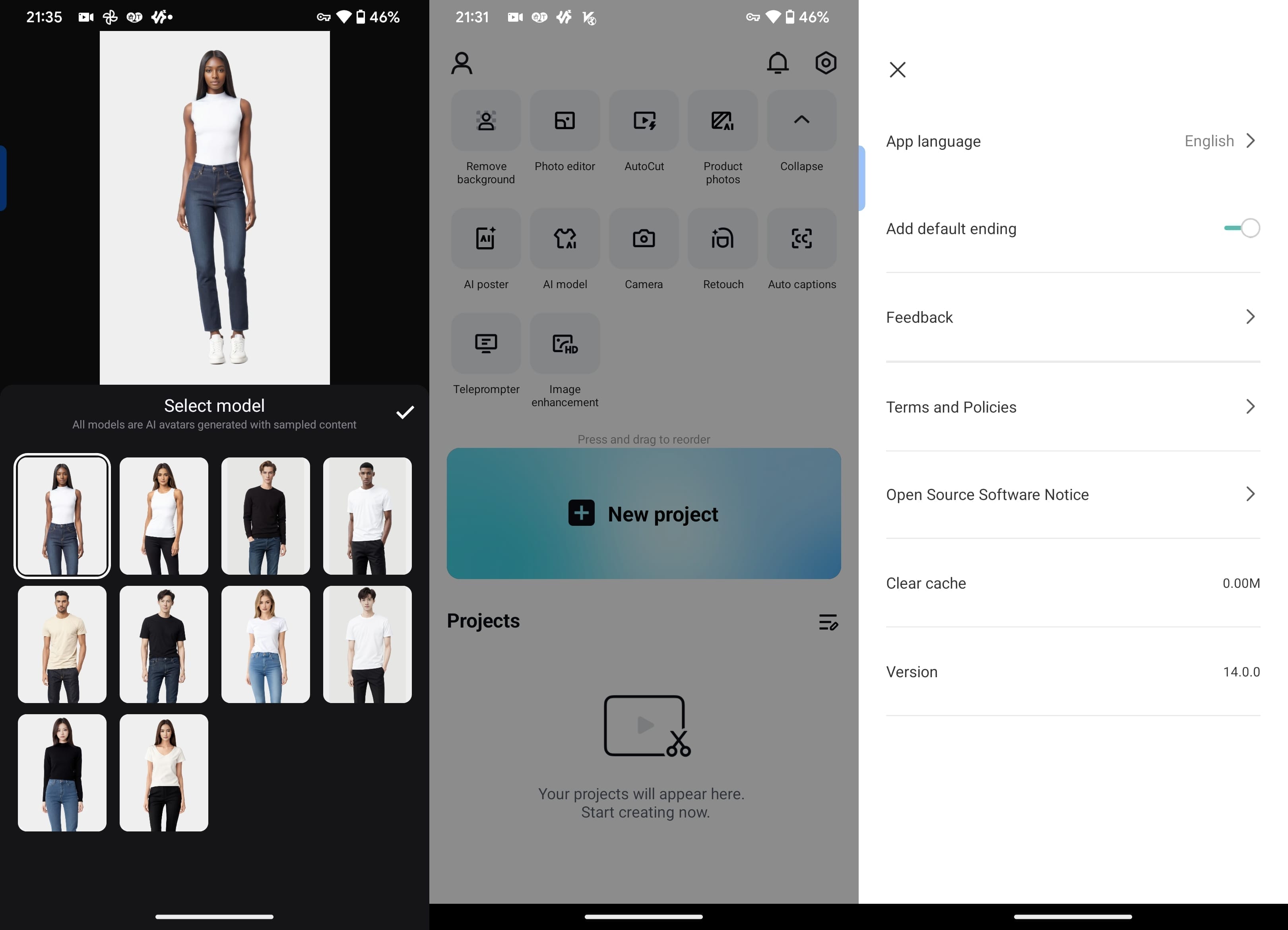
Mobile Version
Ease of Use: Touch controls make for a very intuitive, on-the-go editing experience.
Feature Richness: Offers a full suite of basic functions and a variety of special effects templates.
Best For: Quick, on-the-spot editing and instant sharing of short videos.
Desktop Version


Ease of Use: Precision control with a keyboard and mouse, perfect for detailed editing.
Feature Richness: Supports advanced functions like multi-track editing and batch processing.
Best For: Professional-grade editing and handling longer videos.
5. Pros and Cons
Advantages:
Free and Full-Featured: From basic cuts to advanced effects, everything is available without a subscription.
Low Barrier, High Potential: It’s beginner-friendly while still catering to the needs of seasoned creators.
Cross-Platform and Cloud Support: Effortlessly syncs across devices, boosting collaborative efficiency.
Drawbacks:
Mobile Performance Limitations: Editing large projects on mobile can sometimes result in lag.
Limited Professional Tools: Compared to software like Adobe Premiere, features such as multi-camera editing and advanced color grading are more constrained.
6. Recommended For
Short-Video Creators: Ideal for quickly crafting content optimized for platforms like TikTok.
Aspiring Content Creators: Produces high-quality videos without the need for extensive training.
Lightweight Professional Users: Use the desktop version for everyday editing tasks, while complementing it with other tools for advanced post-production work.
7. Conclusion
CapCut has cemented its place as the go-to editing tool in the short-video era, thanks to its user-friendly design, rich feature set, and free pricing model. Although it doesn’t fully replace high-end software like Premiere Pro or Final Cut Pro in professional environments, its smart, template-driven approach significantly lowers the barrier to video creation, making it a highly efficient choice for individual creators and small teams. With further performance optimizations and the expansion of advanced features, its competitive edge is poised to grow even stronger.Click to go to CapCut.
Related posts
