 Teleprompter Online: A Free, Browser-Based Teleprompter for Seamless Presentations
Teleprompter Online is a free, browser-based autocue application designed to assist speakers, content creators, and educators in delivering smooth and confident presentations. Accessible on both PC and Mac through any modern web browser, this platform eliminates the need for software installations or downloads. Whether you’re preparing for a speech, recording a video, or conducting a live stream, Teleprompter Online offers a user-friendly interface with customizable features to enhance your delivery.
Key Features
-
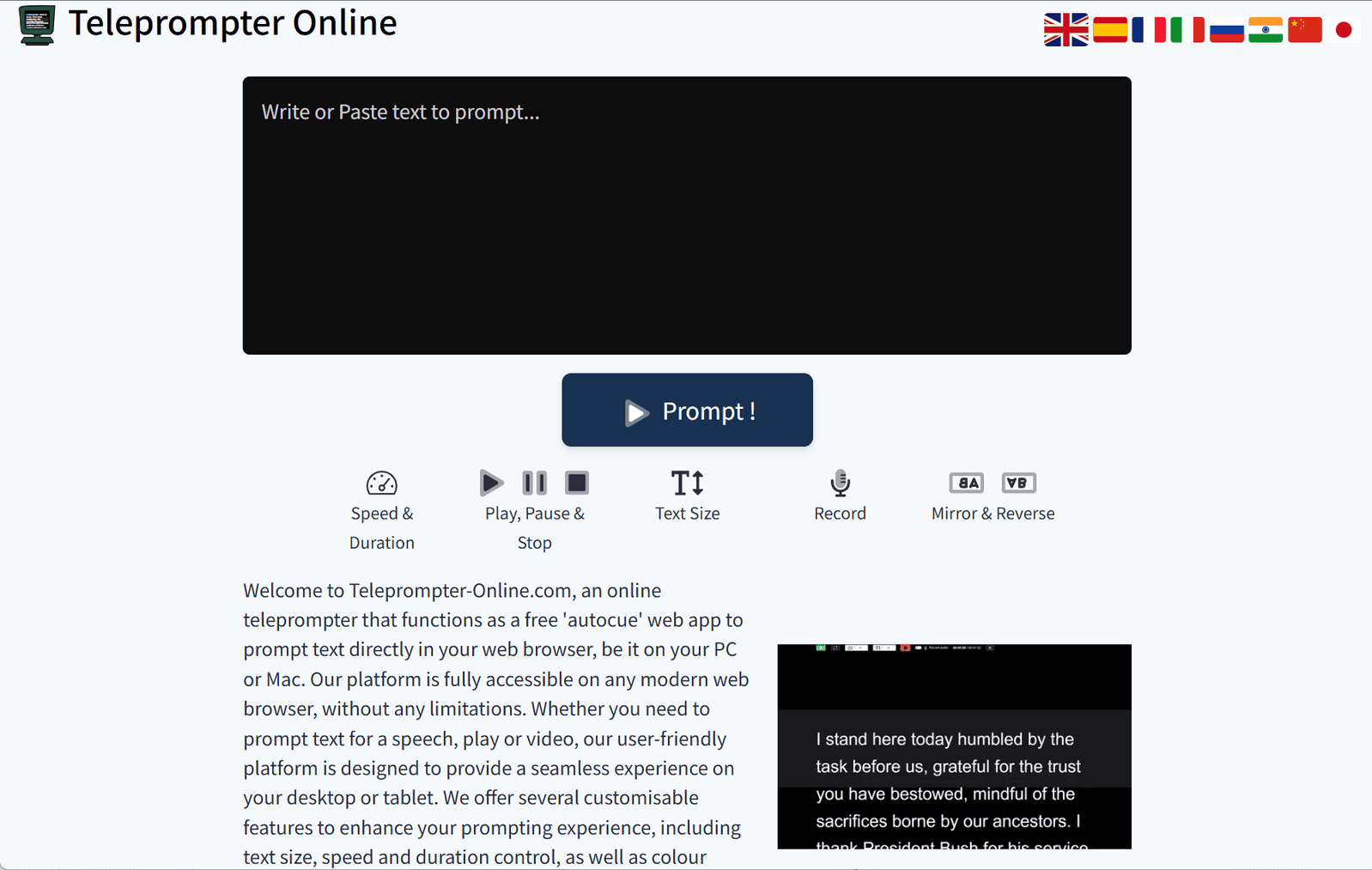
Adjustable Scrolling Speed and Duration
Control the speed at which your script scrolls to match your speaking pace, with real-time adjustments available. -
Text Customization
Modify font size, style, and background color to ensure optimal readability and comfort during your presentation. -
Playback Controls
Easily play, pause, or stop the scrolling text, allowing you to manage your delivery without distractions. -
Recording Capability
Record your speech directly within the browser as an audio file, which is saved locally to your device for privacy and convenience. -
Mirror and Reverse Text
Utilize horizontal and vertical text flipping options to accommodate physical teleprompter setups, ensuring compatibility with external devices. -
Responsive Design
The platform is optimized for various devices, providing a consistent experience across desktops, tablets, and smartphones.
Ideal Use Cases
Teleprompter Online is versatile and can be effectively used in various scenarios, including:
-
Public Speaking
Maintain eye contact with your audience while delivering your speech, enhancing engagement and professionalism. -
Video Production
Create polished video content by reading your script smoothly, reducing the need for multiple takes. -
Education and Training
Deliver lectures or tutorials with ease, ensuring clear and consistent communication. -
Live Streaming
Keep your delivery on track during live broadcasts, managing your script in real-time.
Getting Started
To begin using Teleprompter Online, simply visit the website and start typing or pasting your script into the provided text box. Adjust the settings to suit your preferences, and click “Start Prompting” to initiate the teleprompter. No account creation is necessary, and all features are accessible without any hidden fees.
Conclusion
Teleprompter Online offers a straightforward and effective solution for anyone looking to improve their presentation skills. Its browser-based accessibility, coupled with a range of customizable features, makes it an invaluable tool for delivering confident and professional speeches, recordings, and broadcasts. Whether you’re a novice speaker or an experienced presenter, Teleprompter Online can help you communicate your message with clarity and poise.
data statistics
Relevant Navigation