Doc Fly
A free online PDF file editor
Tags:Design toolscloud-based PDF tools document security online PDF editor PDF converter PDF editing features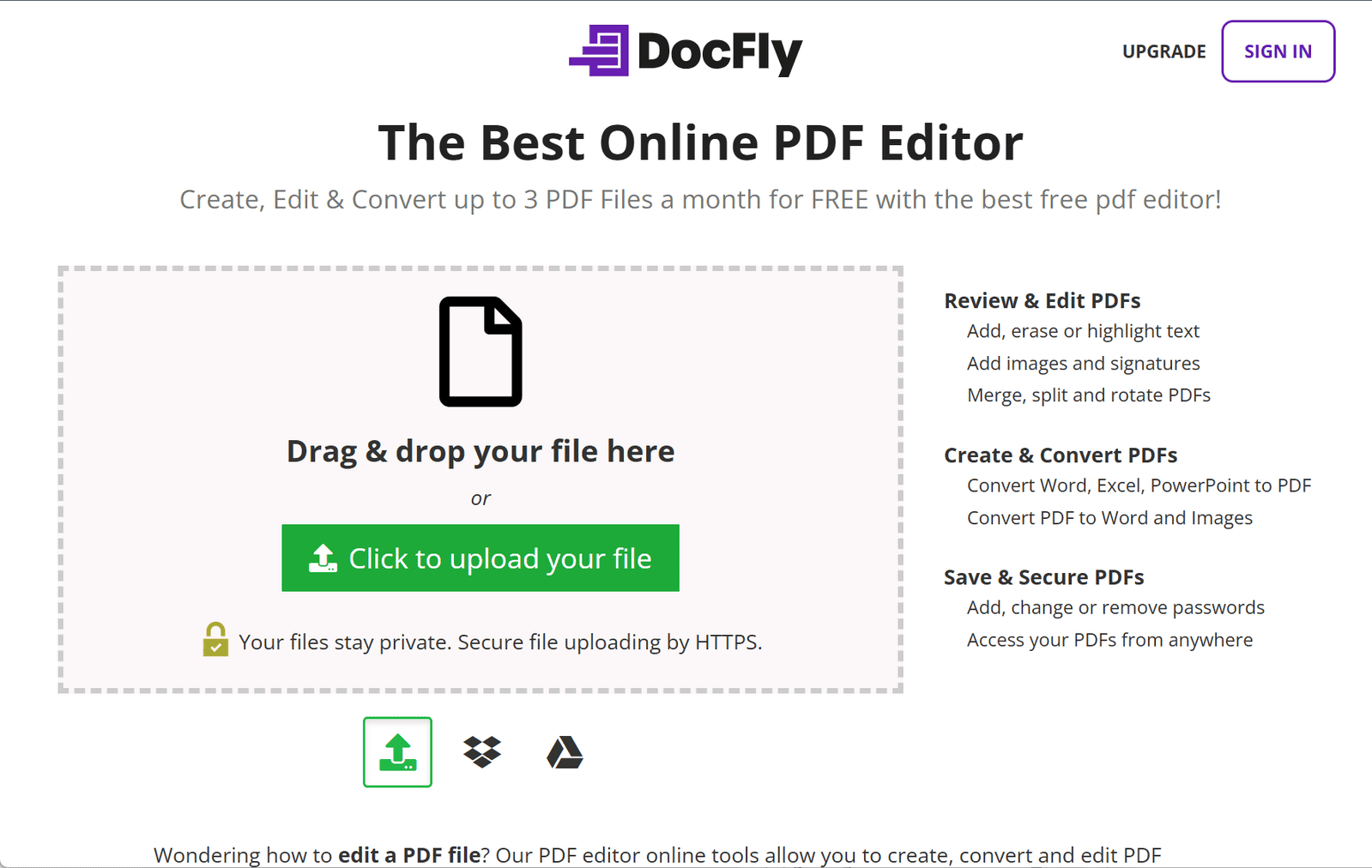
DocFly: A Comprehensive Online PDF Editing and Conversion Tool
DocFly is a versatile online platform designed to simplify PDF document management. Offering a range of features, it caters to users seeking efficient and accessible tools for handling PDF files without the need for software installation.
Key Features
1. PDF Editing Capabilities
DocFly provides a user-friendly interface that allows users to:
-
Add, Erase, or Highlight Text: Modify existing content to suit your needs.
-
Insert Images and Signatures: Enhance documents with visual elements.
-
Merge, Split, and Rotate PDFs: Organize pages to create cohesive documents.
-
Apply Watermarks: Protect your content by adding identifying marks.
2. PDF Creation and Conversion
The platform enables users to:
-
Create PDFs: Generate new PDF documents from scratch or by converting other file formats.
-
Convert Files to and from PDF: Transform documents from Word, Excel, PowerPoint, and image formats into PDFs, and vice versa.
3. Document Security
DocFly offers tools to:
-
Add, Change, or Remove Passwords: Secure your documents by controlling access.
-
Access Files from Anywhere: Retrieve and edit your PDFs from any modern browser without the need for software downloads.
4. Cloud-Based Accessibility
Being entirely online, DocFly ensures that users can:
-
Edit PDFs Online: Utilize the platform’s tools directly through a web browser.
-
Store Files Securely: Benefit from cloud storage solutions that keep your documents safe and accessible.
Pricing Structure
DocFly operates on a freemium model:
-
Free Tier: Users can create, edit, and convert up to three PDF files per month without the need for an account.
-
Pro Version: For more extensive use, the Pro version offers additional features and higher usage limits at a subscription fee of $3.99 per month or $7.99 per year.
Conclusion
DocFly stands out as a comprehensive and accessible solution for individuals and businesses seeking efficient PDF management tools. Its blend of editing, conversion, and security features, combined with cloud-based accessibility, makes it a valuable resource for handling PDF documents with ease.
data statistics
Relevant Navigation