PDFCreator
Supports conversion between PDF and Office files, images, HTML, Markdown, and PDF/A
Tags:Design toolsdocument management file security OCR tools online PDF editor PDF conversion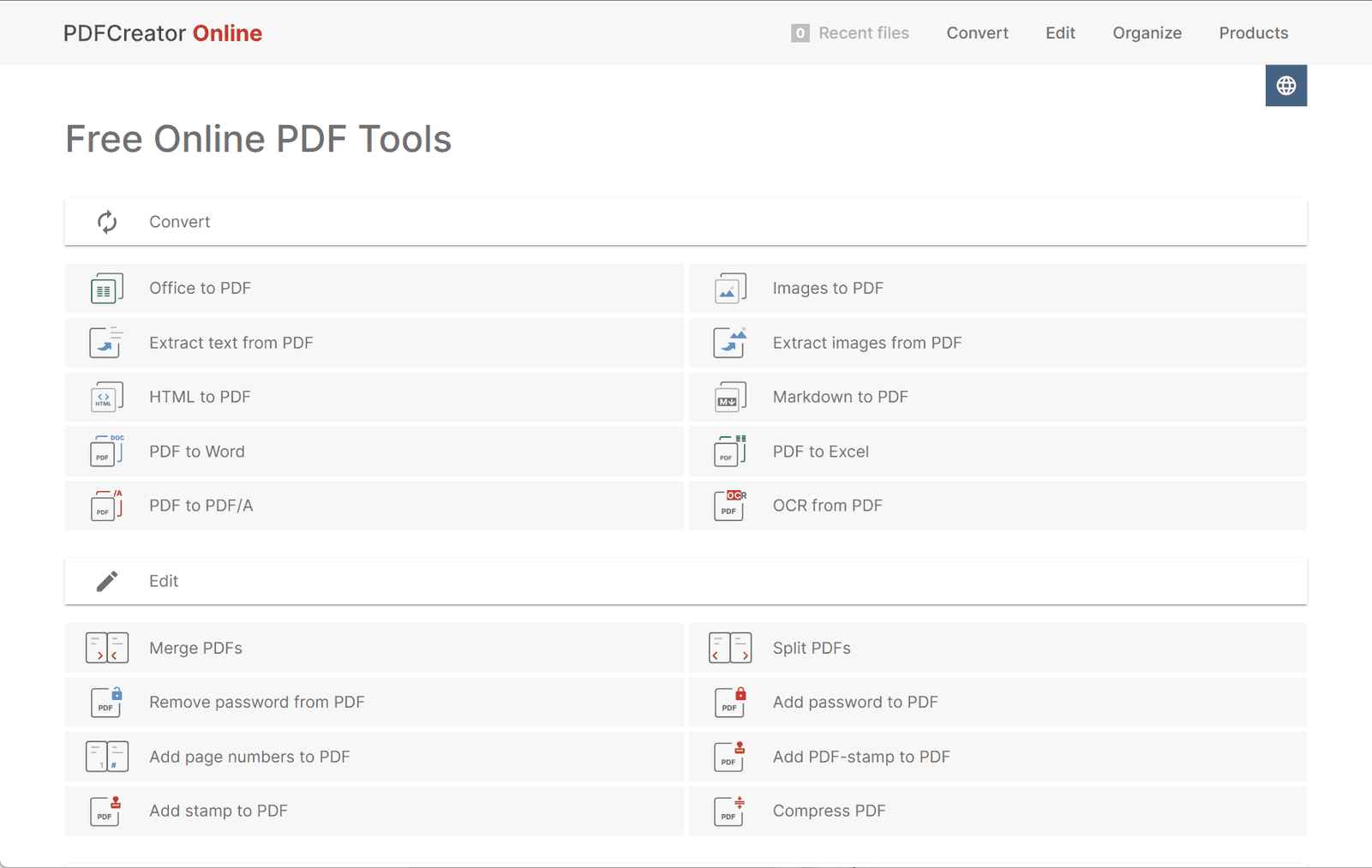
pdfforge Online: A Comprehensive Overview
pdfforge Online offers a robust suite of browser-based tools designed to simplify PDF management and conversion. Without requiring software installation, it enables users to efficiently perform a range of document tasks securely and with ease.
Key Features
-
Versatile File Conversion
Convert Office documents (Word, Excel, PowerPoint) and images (JPG, PNG, GIF, TIFF) to PDF. It also supports converting PDFs back to formats like Word, Excel, and PDF/A. Additional options include HTML and Markdown to PDF. -
Comprehensive PDF Editing
Merge multiple PDFs, split documents by page range, rotate or delete pages, and reorder content. Users can also add page numbers, insert stamps, and compress PDFs to reduce file size. -
Security and Protection
Add or remove passwords to protect documents. All processing complies with strict data protection standards, ensuring safe handling of sensitive files. -
Optical Character Recognition (OCR)
Extract text from scanned images or documents and convert it into editable formats using OCR technology. -
Validation and Comparison
Validate PDF/A files to meet long-term archival standards and compare two PDF files to detect differences between versions.
Applications
pdfforge Online is well-suited for:
-
Students and Educators
Easily convert, annotate, and share lecture notes or assignments. -
Business Professionals
Prepare, manage, and secure business documents efficiently. -
Designers and Creatives
Convert portfolios and design files into universally accessible PDF formats. -
Everyday Users
Handle basic PDF tasks like merging, splitting, or securing files—all online and hassle-free.
Conclusion
pdfforge Online delivers a reliable, feature-rich solution for managing PDFs in a web browser. With its broad functionality, strong privacy compliance, and intuitive interface, it serves a diverse user base from students to professionals seeking efficient document handling tools.
data statistics
Relevant Navigation