Maven Helper
Maven dependency tree, easily resolve dependency conflicts
Tags:IDEA plug-inConflict resolution Dependency management IntelliJ IDEA Maven goals Maven plugin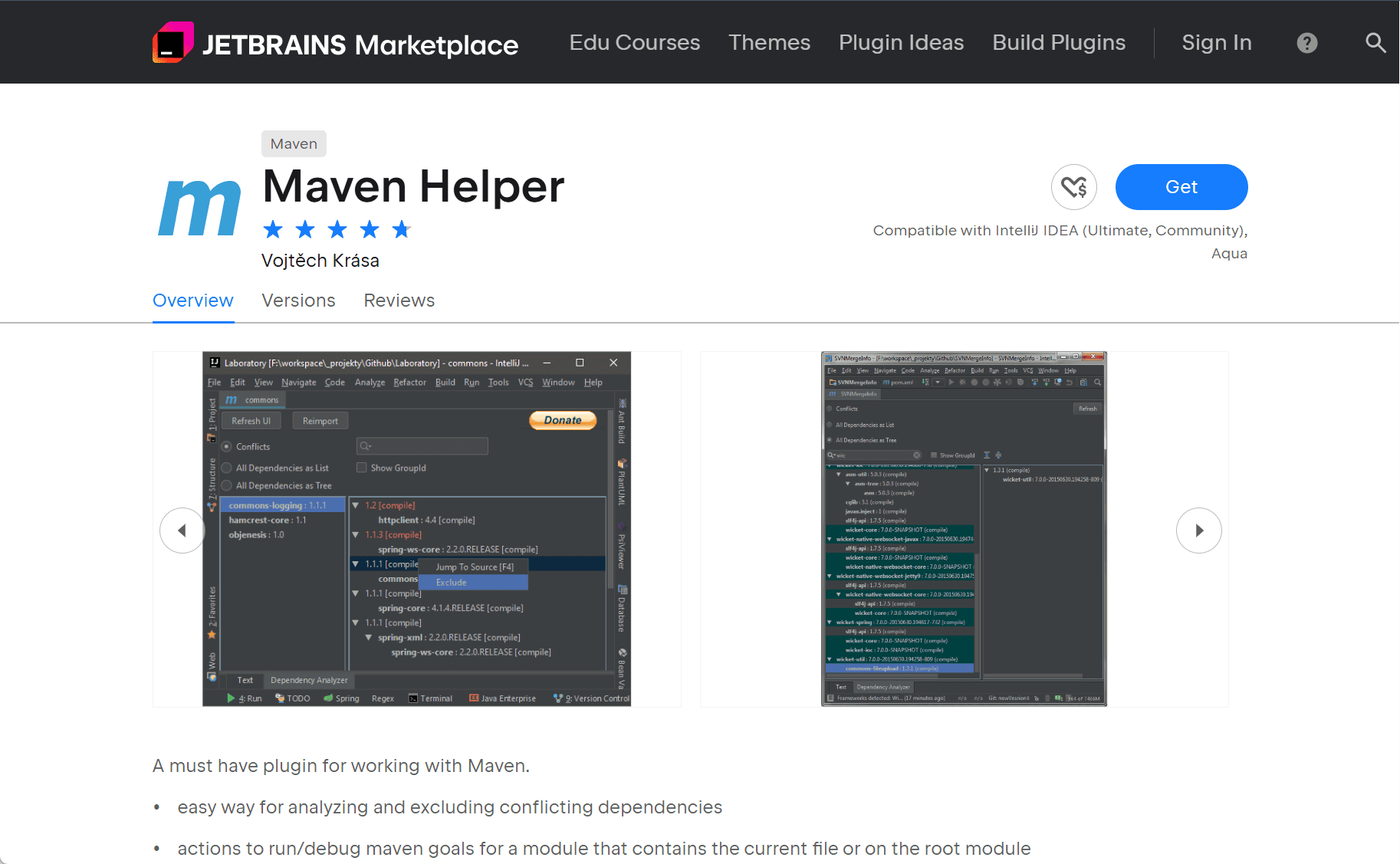
Maven Helper is a widely used plugin for IntelliJ IDEA that enhances Maven project management. It provides tools to simplify dependency analysis, resolve conflicts, and execute Maven goals efficiently, making it an essential utility for Java developers.
Key Features
1. Dependency Analysis and Conflict Resolution
Maven Helper extends the pom.xml editor with a “Dependency Analyzer” tab that allows developers to:
-
View all dependencies in both list and tree formats.
-
Detect and highlight conflicting dependencies.
-
Exclude problematic or unnecessary dependencies with a single click, automatically updating the
pom.xml.
2. Execution of Maven Goals
The plugin streamlines running and debugging Maven goals:
-
Users can right-click in the editor or project view to run Maven goals.
-
Keyboard shortcuts (e.g.,
Ctrl + Alt + R) provide quick access. -
Custom Maven goals can be defined in the plugin settings.
3. Test File Execution
Even when the maven-surefire-plugin is configured to skip or exclude tests, Maven Helper can still run or debug the current test file. It does so by triggering the verify goal when needed.
Installation
To install Maven Helper:
-
Open IntelliJ IDEA and go to
File > Settings > Plugins. -
Search for “Maven Helper” in the Marketplace.
-
Click “Install” and restart the IDE.
Conclusion
Maven Helper enhances the developer experience in IntelliJ IDEA by offering a visual and interactive approach to managing Maven projects. Its features reduce complexity and save time, particularly when working with large or intricate dependency trees.
data statistics
Relevant Navigation