Indent-rainbow
Rainbow indentation makes code indentation easier to read
Tags:VSCode plug-incode readability Developer Tools Indent Rainbow indentation highlighting Visual Studio Code
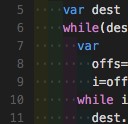
The Indent Rainbow extension for Visual Studio Code enhances code readability by colorizing indentation levels. It assigns alternating colors to each indentation step, making it easier to differentiate nested code blocks. This is particularly useful in languages like Python, Nim, and YAML, where indentation is syntactically significant.
Features
-
Colorized Indentation: Assigns distinct colors to each indentation level, aiding in visualizing code structure.
-
Customizable Colors: Allows users to define their own color palette for indentation levels.
-
Error Highlighting: Visibly marks lines where indentation is not a multiple of the tab size or where tabs and spaces are mixed.
-
Light Mode Support: Introduces an alternate mode that uses lines instead of background coloring for indentation, providing better visibility in certain themes.
-
Language Specific Configuration: Enables activation or deactivation of the extension for specific languages.
Configuration
Users can customize the extension’s behavior through the following settings:
-
Included Languages: Specify languages where the extension should be active.
-
Excluded Languages: Define languages where the extension should be inactive.
-
Update Delay: Adjust the delay in milliseconds before the editor updates.
-
Colors: Set custom RGBA color values for each indentation level.
-
Error Color: Choose a color to highlight lines with incorrect indentation.
-
Tab Mix Color: Define a color for lines with mixed tabs and spaces.
-
Indicator Style: Select between background coloring or line indicators for indentation.
-
Line Width: Set the width of the line indicators in light mode.
-
Ignore Line Patterns: Specify regular expressions to exclude certain lines from error highlighting.
-
Ignore Error Languages: List languages where error highlighting should be disabled.
-
Color on White Space Only: Enable or disable coloring of white spaces and tabs only.
Conclusion
The Indent Rainbow extension is a valuable tool for developers working with indentation-sensitive languages. By visually distinguishing indentation levels, it aids in understanding code structure and identifying formatting issues. Its customizable features allow for a personalized coding experience, enhancing productivity and code clarity.
data statistics
Relevant Navigation